
Order tracking on one platform
Manage orders from different retail chains on a shared platform instead of separate screens and emails.
EDIPORT is MAP's Web EDI solution for managing the web-based exchange of orders, delivery notes, invoices, stock and sales data between retail chains and suppliers on one platform.

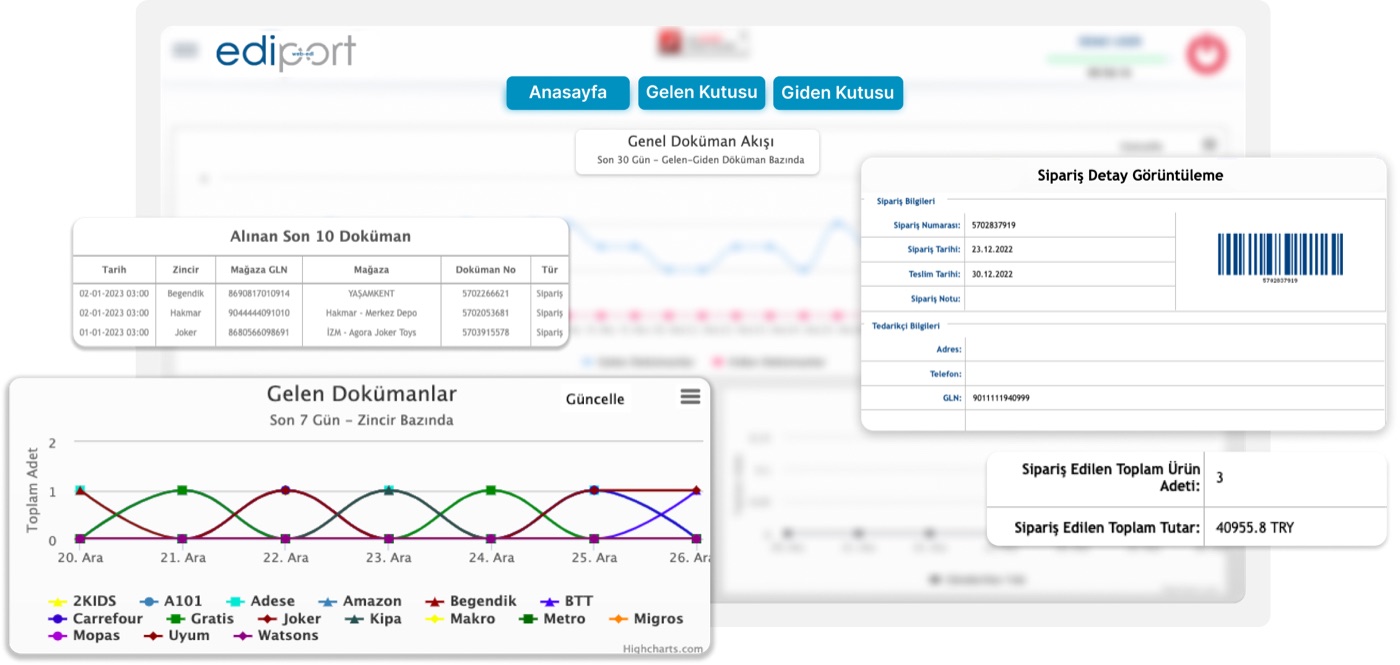
Tracking orders through a separate platform or email for each retail chain makes it harder to consolidate incoming documents, find the right record and monitor shipment steps.
EDIPORT brings orders together on a shared platform and enables documents such as delivery notes, invoices, stock and sales reports to be exchanged electronically and data to be transferred systematically.
Manage retail order and document traffic in a shared workspace and help your teams reach the right record faster.
Manage orders from different retail chains on a shared platform instead of separate screens and emails.
Exchange order, delivery note, invoice, stock and sales data electronically with your trading partners.
Find incoming and outgoing documents by criteria such as date, document type and ICN number, and monitor them from the dashboard.
Review the parameters of recent logins and actions in session details and support the flow with email notifications.
Use EDIPORT to join a shared document flow with retail chains through the MAP Data Exchange Network.
















EDIPORT connects 30+ of Turkey's leading retail chains with their suppliers through the MAP Data Exchange Network.
Electronic document exchange helps trading partners work through the same data flow.
See the core work areas, from the dashboard and inboxes to delivery note creation and session records.
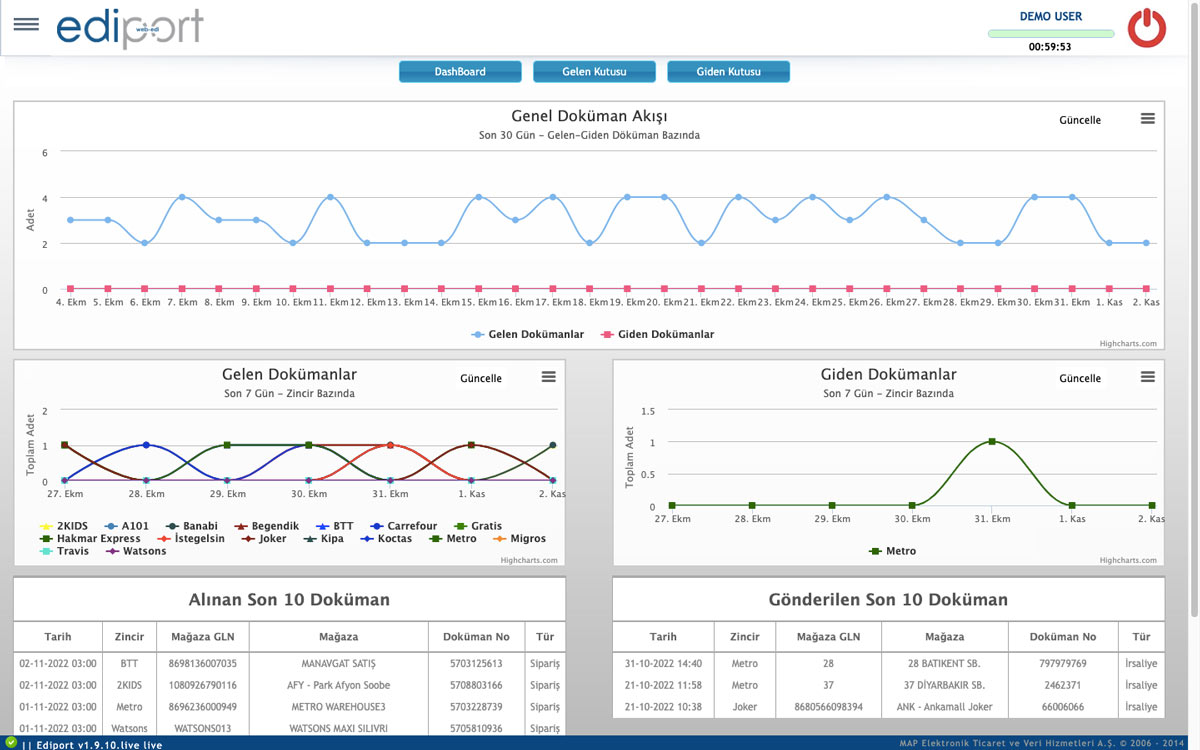
You can view your last 30-day incoming/outgoing data graph, last 7-day customer-based incoming/outgoing data graph and last 10 incoming/outgoing data lists from this screen or you can save these graphs and lists separately as screenshots to your computer in an extension of your choice.
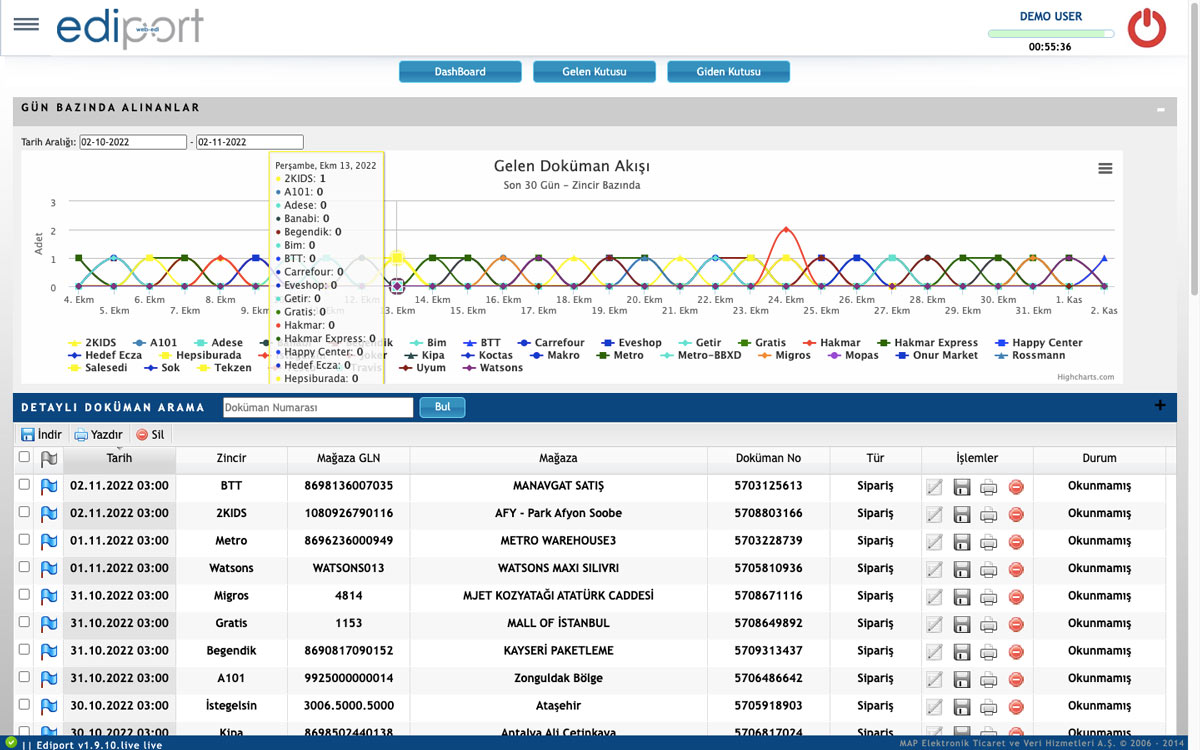
This is the tab where the documents (order, stock, goods acceptance, etc.) from your customers are located.
In this section, which provides the user with a customer-based display of the documents received in the last 30 days at the first opening, the screenshot can be downloaded to the computer if requested or a search can be made by applying a date filter.
By applying a date filter to your incoming documents; This module, which offers search options such as ‘From, Which document or ICN number’, allows you to quickly access your documents.
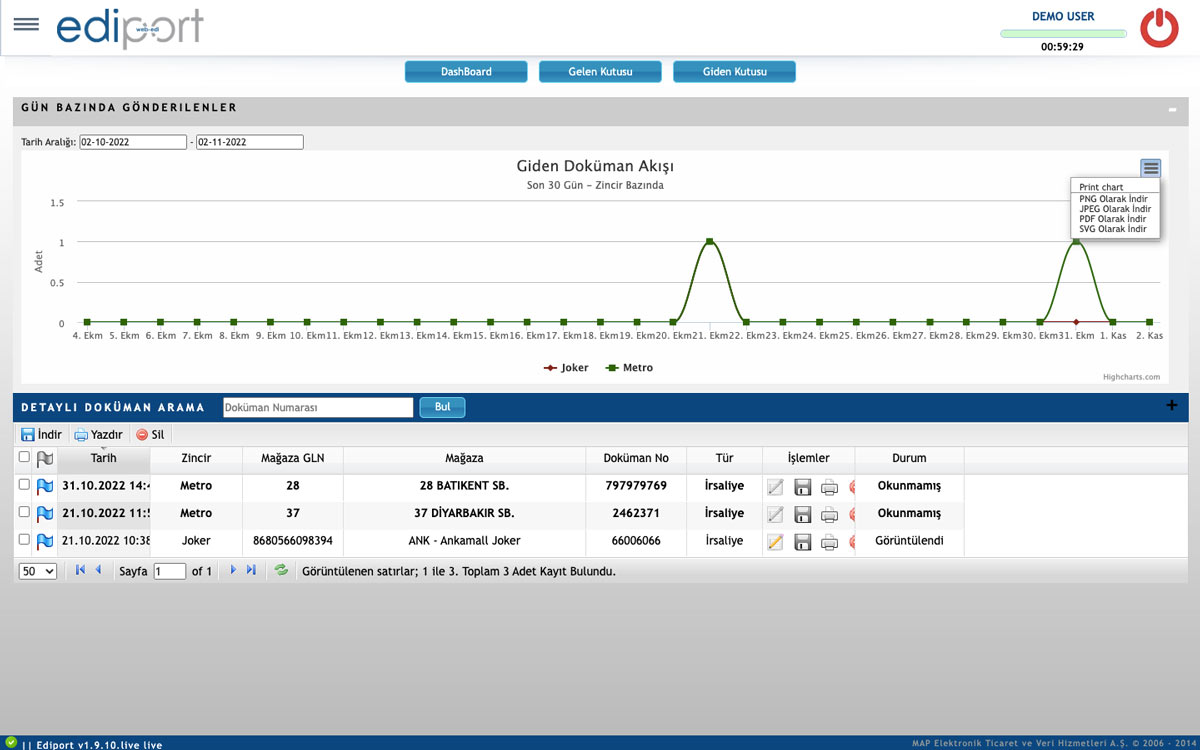
This is the tab where the documents (delivery notes, invoices, etc.) you send to your customers are located.
In this section, which provides the user with a customer-based view of the documents sent in the last 30 days at the first opening, the screenshot can be downloaded to the computer if requested or a search can be made by applying a date filter.
By applying a date filter to your outgoing documents; This module, which offers search options such as ‘From, Which document or ICN number’, allows you to quickly access your documents.
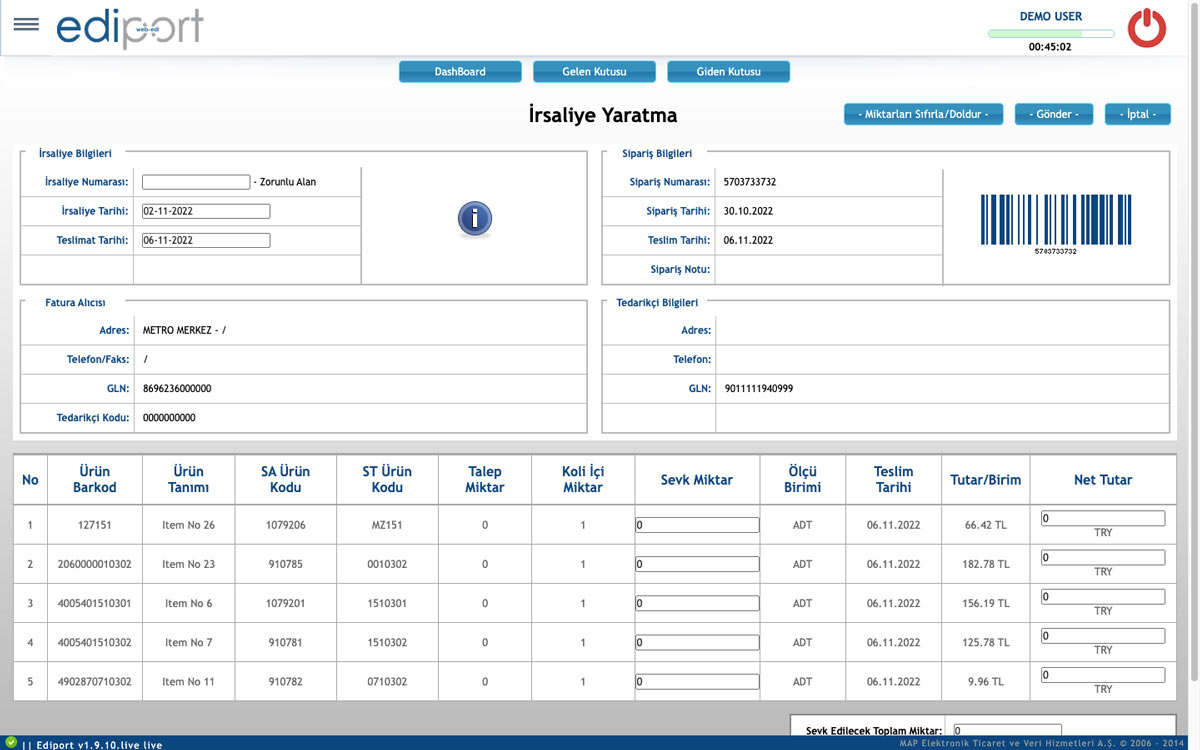
All order-related information is generated automatically on the delivery note creation screen.
In order for the waybill to be sent, only the “Waybill Number” and “Shipment Quantities” sections need to be filled in.
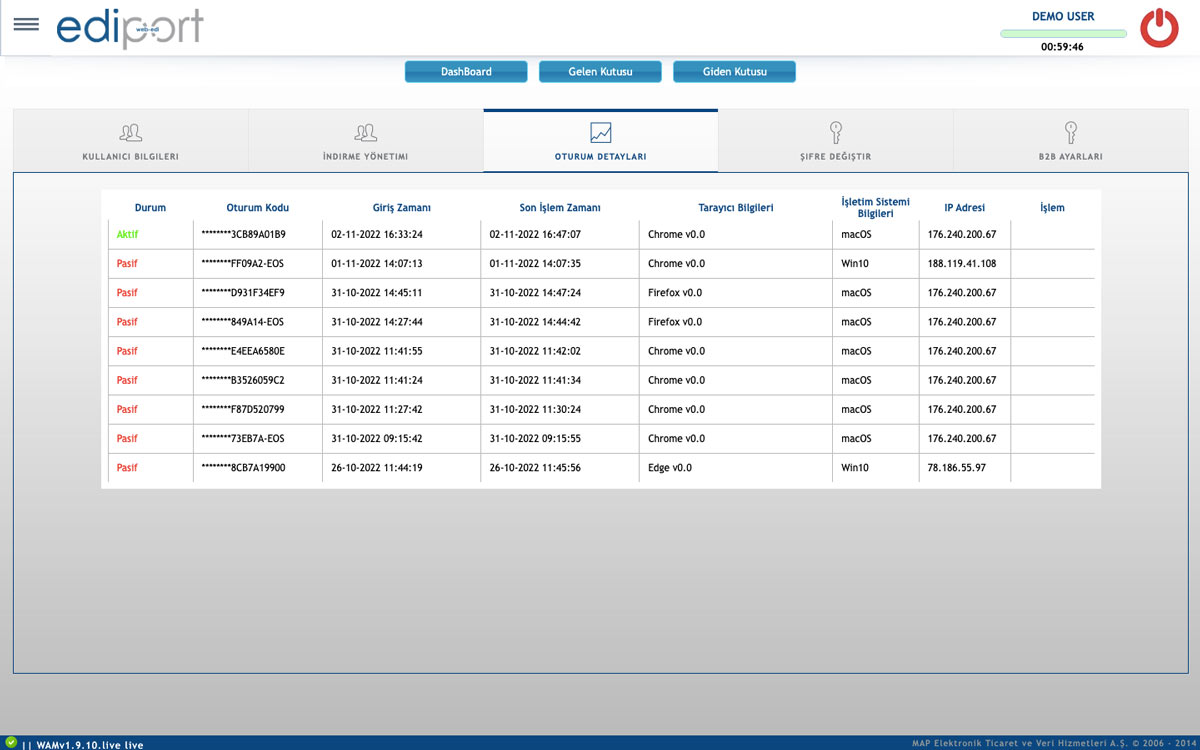
If there are people other than you logging into your EDIPORT account and making transactions, you can check the parameters of the most recent logins and transactions by logging into your session details.
Consider EDIPORT alongside ERP systems, business partners and managed integration services.
It is our fast and secure solution that automates your workflows from ERP to ERP and reduces your workload and related costs.
B2B/EDI IntegrationIt is an EDI solution that enables you to streamline your business processes at low cost by automating your document traffic.
Managed Cloud ServicesTalk to our EDI experts to learn about the integration solutions that best fit your business